Blogging without a platform (sort of)
· 7 min read
I've been thinking about blogging again, and the hardest part so far hasn't been the writing. It's been picking where the writing lives.
WordPress? Or maybe something lighter? Or a paid option like Substack?
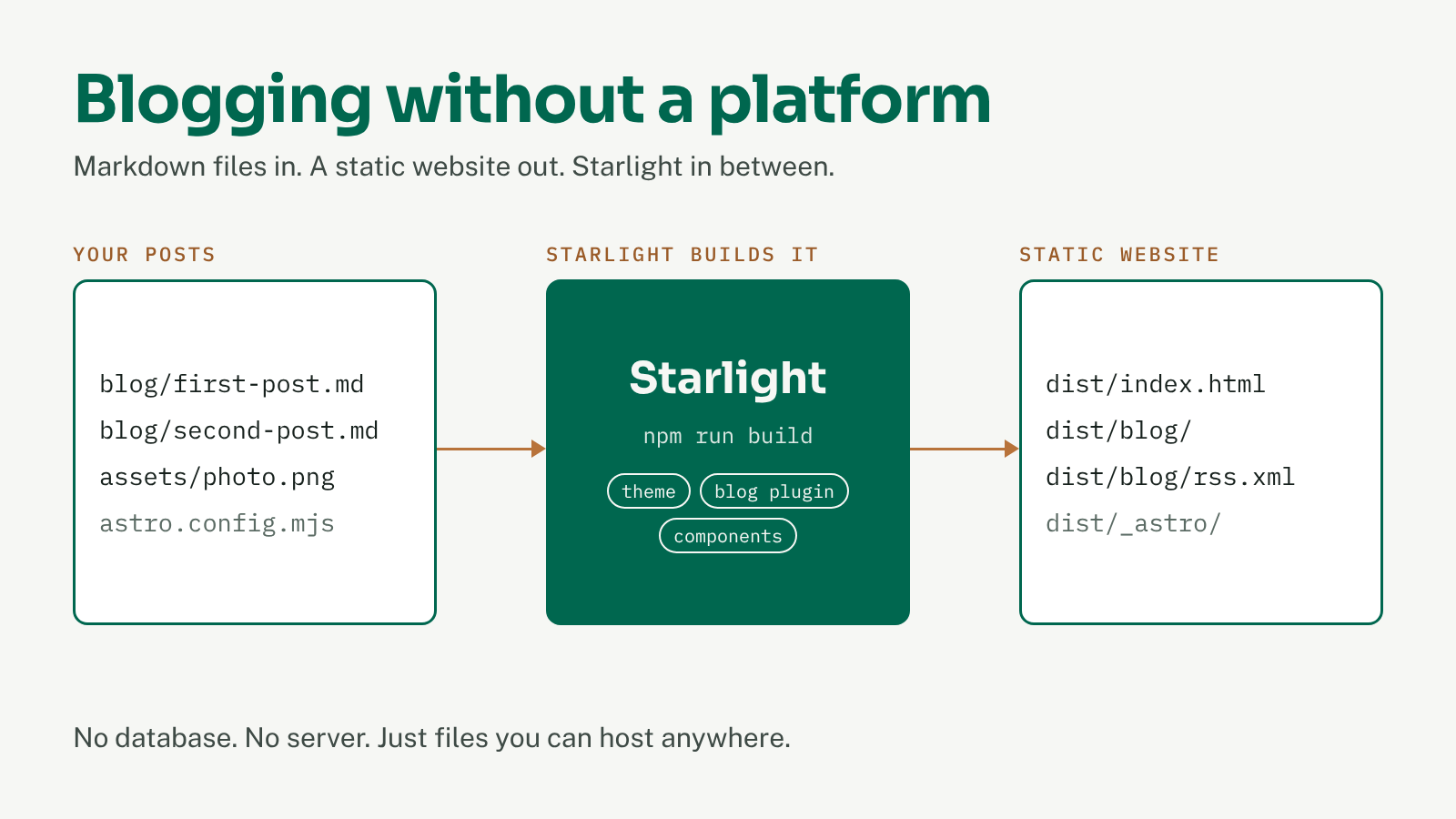
Or the boldest idea: why use a platform at all? It sounds a little crazy, but hear me out. Write the posts as plain files, let a tool turn them into a website, and put that website anywhere you want. No database, no admin page, no plugins nagging you to update.
This blog is the result. Here's how it works, and where it got annoying.
Getting started with Starlight
The tool I picked is Starlight. It's built on top of Astro, and its whole job is turning a folder of Markdown files into a clean, fast website.
Fun fact: Starlight is technically made for documentation sites, not blogs. I'm using it anyway (rules are more like guidelines). You get a sidebar, dark mode and built-in search for free, which is more than my last blog ever had.
If you have Node.js installed, one command sets everything up:
npm create astro@latest -- --template starlight
It asks a few questions, creates a project folder, and installs what it needs. Then start a local preview:
cd my-blog
npm run dev
Open the address it prints in your terminal (usually http://localhost:4321) and you have a website. On your own computer, but still. A website!
Every post is just a Markdown file in src/content/docs/. The one rule: each file starts with a small header that has a title. Leave it out and the build stops and tells you exactly which file is missing one (ask me how I know).
---
title: Blogging without a platform
---

Your post goes here.
That's the whole system. Add a file, get a page.
Images work too. Put them in src/assets/ and point to them with a normal Markdown image link, using a path relative to your post:

Starlight optimizes them for you when it builds the site, so you don't have to resize anything by hand.
Making it look less like docs
Out of the box, Starlight looks like, well, documentation. Clean, but a little serious.
That's where themes come in. They're made by the community, and there are a couple dozen of them, like Catppuccin, Dracula, Ion, Starlight Black and Starlight Rapide. A theme is just a Starlight plugin: install it with npm, add it to the plugins list in astro.config.mjs, and your whole site changes its look. Starlight Galaxy has that old school 2000s internet vibes.
Turning it into an actual blog
Here's the thing: so far, this is a website, not a blog. Starlight's home page is just another page (src/content/docs/index.mdx), and it has no idea your pages are posts with dates. No "newest posts" list, nothing.
The fix is a plugin called starlight-blog, and it's the piece that makes this whole setup a blog. Install it:
npm i starlight-blog
Then add it to the plugins list in astro.config.mjs, and follow its getting started guide for one small change to src/content.config.ts. After that, posts go in src/content/docs/blog/, and each one gets a date:
---
title: Blogging without a platform
date: 2026-11-20
tags: [starlight, blogging]
---
That's it. You get a /blog page with your newest posts at the top, tag pages, and an RSS feed, all built for you. You can either set the blog as the home page or just direct people to the blog from the home page with a big button and call it a day.
And that's only one plugin. Starlight has a whole list of plugins to add features, and pretty much everything (the look, the sidebar, the components, how pages are built) can be customized and optimized way more than I'm doing here. If you want to go deeper, the Starlight website is the place to poke around and see what's possible.
Writing in a normal editor
Okay, so Markdown is great, but writing in it can feel like writing in a terminal. Not having a fancy editor would suck.
But hey, you don't have to give one up. You can still write in Word, LibreOffice Writer or, if you love pain like me, LaTeX. Here's the trick:
- Write the post in whatever editor you like.
- Save or export it as a PDF.
- Give the PDF to an AI model and ask it to turn it into Markdown.
- Drop the file into
src/content/docs/blog/.
Try a prompt like this:
Convert this PDF into an .mdx file for a Starlight site. Keep my wording exactly. Use ## for section headings, keep lists and code blocks, and start the file with a front matter block that has a title and today's date. Where it helps, use Starlight's built-in components: Aside for notes and warnings, Tabs for side-by-side options, Steps for numbered instructions, and Code or FileTree for code and folders. Import them from '@astrojs/starlight/components'.
Asking it to keep the wording matters. Otherwise the model gets creative and "improves" your writing, and suddenly your blog sounds like a press release (bad Claude).
The components part is a nice bonus. Starlight comes with ready-made components for things like callout boxes, tabs and step-by-step lists, so your post looks designed without you designing anything. The one catch: components need the file to end in .mdx instead of .md. If you'd rather stick with plain .md, simple callouts still work with this syntax:
:::tip
This shows up as a tip box.
:::
Where it got annoying
It wasn't a smooth process, and it came with its own challenges. For example, AI changed my text anyway because who cares about the prompt. BUT always read the Markdown before publishing. The AI does about 95% of the boring work, and the last 5% is on you.
The easiest way to check it is VS Code. Open the file and press Ctrl+Shift+V (Cmd+Shift+V on a Mac), or Ctrl+K then V to open the preview side by side. You see the formatted version right next to the raw text, so a broken heading or a weird list jumps out right away.
One heads-up: VS Code's preview doesn't know about Starlight's components or ::: callouts, so those show up as plain text there. For the real thing, run npm run dev and look at the page in your browser.
Deploying it anywhere
This is my favorite part. When you're ready to publish, run:
npm run build
Starlight turns your whole site into plain HTML, CSS and JavaScript in a folder called dist/. No server code, no database. Just files (the stuff browsers actually read, in not-nerd).
Which means you can put that folder pretty much anywhere:
- Copy it to any web host. Anything that can serve files can serve your blog.
- Host it for free. DigitalOcean's App Platform hosts up to three static sites for free (with 1 GiB of outbound data for each one). Point it at your project on GitHub, set the build command to
npm run buildand the output folder todist, and it rebuilds the site every time you push. - Move whenever you want. If you ever outgrow a host, you just copy the folder somewhere else. No export button, no migration plugin.
One small thing: if the site lives in a subfolder instead of at the root of a domain, set the base option in astro.config.mjs so the links still work.
It's not all sunshine and rainbows
I'd be lying if I said this beats WordPress at everything. Here are the real downsides:
- You republish everything, every time. Fix one typo and you rebuild and redeploy the whole site. If your host builds from GitHub it's just a push, but there's no "Update" button.
- No admin page. You can't log in from your phone and fix something on the go. Every change happens in files, on a computer.
- No media manager. There's no library to upload, search and reuse images. You name them, organize them and keep track of them yourself (and future you will not remember what
image-final-2.pngwas). - Fewer features out of the box. No comments, no scheduled posts, no newsletter signup, no built-in stats, and no plugin marketplace with a button for everything. And since Starlight is a docs tool, even the list of posts with dates only shows up once you add the blog plugin.
- You need to be a little technical. Node.js, a terminal, maybe Git. Not hard, but not zero.
If you just want to write and never touch a terminal, WordPress is probably still the better pick.
So, was it worth it?
For me, it's worth it. No more admin panels! No need for updating or maintaining a software stack! Just build a static website and deploy.